SocialShot
Auto captions that keep people watching
Every clip SocialShot makes comes with captions timed to each word, with the word being said lit up. Choose a style, change the font and colours, and fix any word in a click.
- Free, no card
- Your own AI key
- Cloud version in a few days
Captions are the first thing people read
Most people scroll Shorts, Reels and TikTok with the sound off. If the first words on screen do not land, they swipe. SocialShot captions every clip automatically, word by word, so the line is readable from the first second.
- Timed to each word, with the spoken word highlighted
- Eight ready styles, or save your own brand kit
- Fix any word in the editor before you post
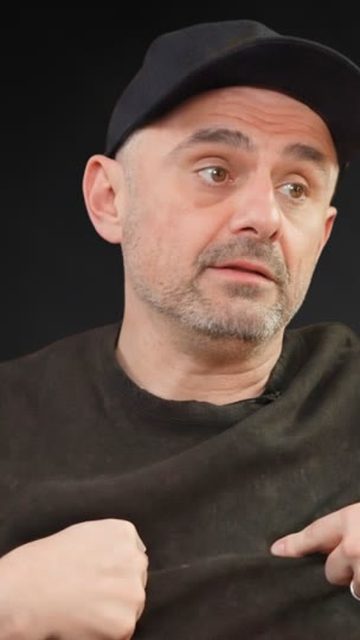
Caption styles made for short-form
Bold and readable
Heavy fonts with a clean outline stay readable over bright game footage and busy rooms.
A highlight that moves
The word being said changes colour, which keeps the eye on the caption and the viewer in the clip.
Placed where it fits
Captions sit clear of the face and the platform's buttons, so nothing important is covered.
Auto captions in three steps
Make your clips
Paste a link or add a creator. Every clip comes back already captioned.
Pick a style
Choose Bounce, Hype, Bold pop or another style, or tune your own.
Fix and post
Correct a name or a word, then download or post to YouTube Shorts, Reels and TikTok.
Common questions
Not sure it fits your stream? Paste one link and see what gets picked.
01How do auto captions work in SocialShot?
The audio is transcribed and each word is timed to the voice. The captions are drawn onto the vertical clip, with the current word highlighted as it is spoken.
02Can I edit the captions?
Yes. Open any clip in the editor to fix a word, change the font, size and colours, or switch to another caption style, then save it again.
03Which caption styles are there?
There are ready styles such as Bounce, Hype, Bold pop, Headline, Comic, Clean, Soft and Marker, and you can save your own to your brand kit.
04Do captions work for Hindi and Urdu?
SocialShot can write Hindi and Urdu speech in Roman letters, which is how many viewers read it on social media.

Ready to clip your next stream?
Get the free Windows app, add your AI key and clip your next stream tonight.
* free, no card, cloud version in a few days